


The strings from the scene you rewound twice
Bridgerton – Music Player
Bridgerton – Music Player
💿 Load any song you want
🥁 Nine vinyl discs, the whole ton
🖤 For the ones who burn for it
Couldn't load pickup availability

Shipping Protection
- Visa payment method
- Master payment method
- Apple pay payment method
- Google pay payment method
- Paypal payment method
- Shopify pay payment method

Bridgerton – Music Player
What's included?
What's included?
• 1 Premium Music Box
• 9 Vinyl Song Discs
• USB Cable for Easy Music Import
Our guarantee
Our guarantee
If your player arrives damaged or faulty, just message us and we'll send you a new one. You don't send anything back and you don't pay any shipping.


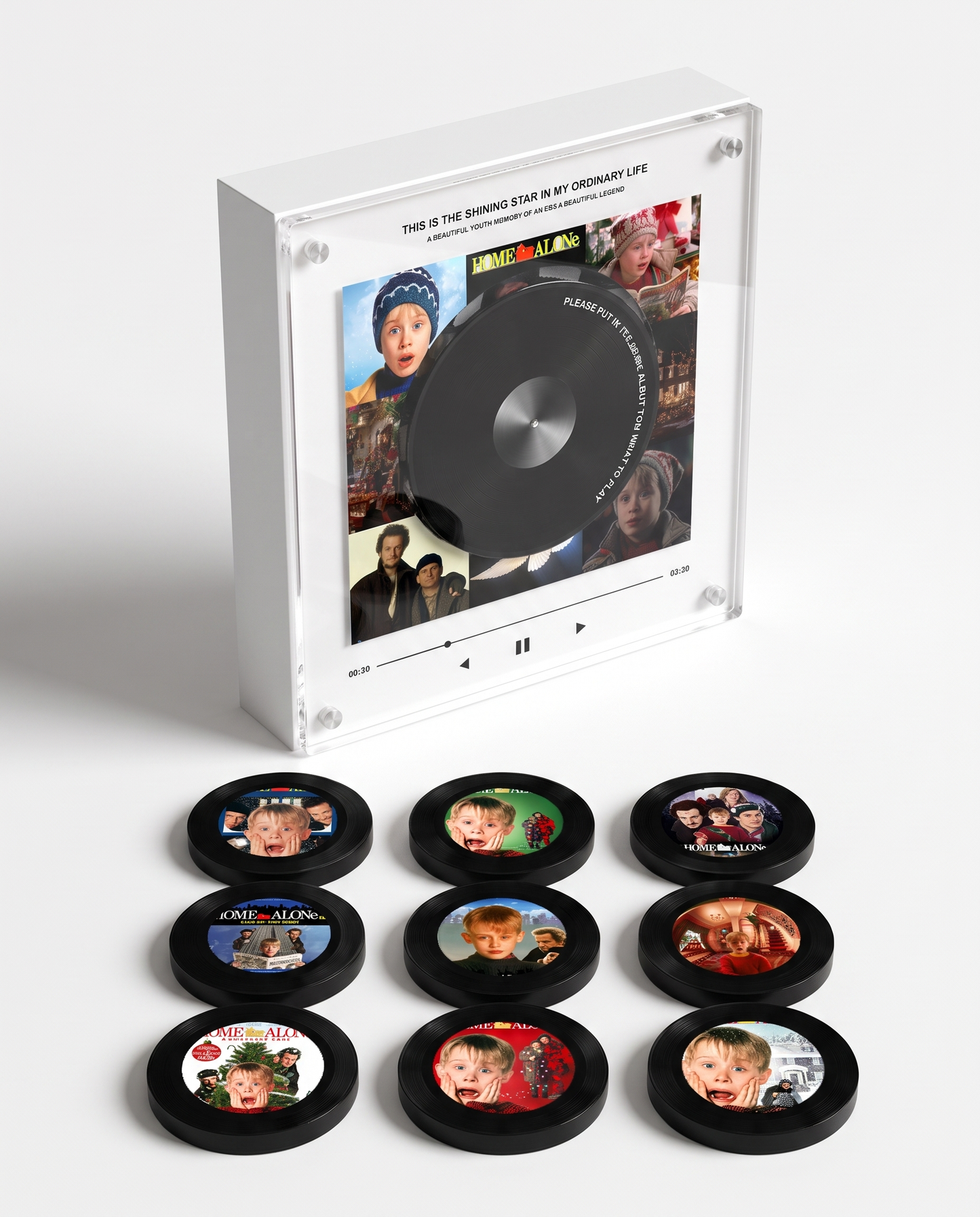

One Waltz , and You're at the Ball
Nine vinyl discs, the whole ton in your hands. Set one on the box and it plays — no app, no subscription, nothing to scroll past. Just the strings, and the ballroom lights come up.

For the Ones Who Burn for It
Season boxsets gather dust and streaming menus move things around. This one stays on the shelf, and it still plays the waltz from the scene you have rewound more times than you will admit.
How it works !
Customer Reviews
-

I thought it would be a shelf ornament. Then the strings came out of it and I was back in the ballroom in about half a second. It is the only piece of merch I own that I actually use. The quality feels amazing and it looks beautiful on display. It’s not just decoration — it actually holds a memory, which makes it so much more meaningful.
-

Was not sure about the price until it arrived. Matte, heavy, properly made — it looks like it belongs in a drawing room, not with the cheap stuff. The nine discs are the whole ton so far. The photos turned out beautiful and it looks amazing as a display piece. It’s both decorative and meaningful, which is exactly what I wanted
-

Ordered it after finishing the new season expecting something throwaway. It is not. You load your own songs, it plays offline forever, and it looks good enough to leave out. The photo discs were lovely and the overall look is really classy. Setup took a little time, but once everything was done, it was so worth it.


Frequently Asked Questions
How does it work
How does it work
🔌 Charge & Power On
Charge the music box before first use.
Press and hold the back button to turn it on or off.
💿 Place a Disc
Remove the front protective sticker and place a disc on the player.
Your song will start automatically.
🎵 Change Your Songs Anytime
Connect the music box to your computer using the included USB-C cable.
Open the folders labeled 1–9 and drag your MP3 songs into the matching folder.
💻 Compatible with Mac & Windows
No apps or software required.
🔋 Battery Life
Up to 8 hours of playback on a full charge.
How do I change a song later?
How do I change a song later?
Plug the box into your laptop with the included USB-C cable. Open the relevant folder, delete the old MP3, drag in a new one. Takes 30 seconds.
Which audio formats are supported?
Which audio formats are supported?
MP3 only. Other formats (WAV, FLAC, M4A) won't be recognized. You can convert any audio file to MP3 for free using online tools like CloudConvert.
Do I need Spotify or any streaming subscription?
Do I need Spotify or any streaming subscription?
No, runs entirely offline. You upload MP3 files once from your laptop to the box — after that, no internet, no app, no subscription needed. The music is yours.
Does it work with Bluetooth?
Does it work with Bluetooth?
No — the music box works offline using your uploaded MP3 files for a simple and seamless experience.
You might like
-
 SAVE 53%
Outlander – Music Player
Regular price £48.00Regular price £48.00 Sale priceUnit price per£103.0053% -
 SAVE 53%
Supernatural – Music Player
Regular price £48.00Regular price £48.00 Sale priceUnit price per£103.0053% -
 SAVE 53%
Evanescence – Music Player
Regular price £48.00Regular price £48.00 Sale priceUnit price per£103.0053% -
 SAVE 53%
Bridgerton – Music Player
Regular price £48.00Regular price £48.00 Sale priceUnit price per£103.0053% -
 SAVE 53%
Wicked – Music Player
Regular price £48.00Regular price £48.00 Sale priceUnit price per£103.0053% -
 SAVE 53%
Harry S. – Music Player
Regular price £48.00Regular price £48.00 Sale priceUnit price per£103.0053% -
 SAVE 53%
Metallica – Music Player
Regular price £48.00Regular price £48.00 Sale priceUnit price per£103.0053% -
 SAVE 53%
Linkin Park – Music Player
Regular price £48.00Regular price £48.00 Sale priceUnit price per£103.0053% -
 SAVE 53%
Paramore – Music Player
Regular price £48.00Regular price £48.00 Sale priceUnit price per£103.0053% -
 SAVE 53%
Bruno Mars – Music Player
Regular price £48.00Regular price £48.00 Sale priceUnit price per£103.0053% -
 SAVE 53%
Olivia Rodrigo – Music Player
Regular price £48.00Regular price £48.00 Sale priceUnit price per£103.0053% -
 SAVE 53%
Michael Jackson – Music Player
Regular price £48.00Regular price £48.00 Sale priceUnit price per£103.0053% -
 SAVE 53%
Ozzy Osbourne – Music Player
Regular price £48.00Regular price £48.00 Sale priceUnit price per£103.0053% -
 SAVE 53%
AC/DC – Music Player
Regular price £48.00Regular price £48.00 Sale priceUnit price per£103.0053% -
 SAVE 53%
BTS – Music Player
Regular price £48.00Regular price £48.00 Sale priceUnit price per£103.0053% -
Queens of the Stone Age – Music Player
Regular price £48.00Regular price £48.00 Sale priceUnit price per£103.0053% -
 SAVE 53%
Iron Maiden – Music Player
Regular price £48.00Regular price £48.00 Sale priceUnit price per£103.0053%


